Wallet, Account, and Category: What Each One Actually Does in Nice Budget
Learn how Nice Budget's wallet, account, and category work together — what each one does, how they connect, and why setup goes in that order.
Wallet, account, category — three words you already know, used in slightly different ways by every finance app out there. So what do they mean inside Nice Budget, and why does setup ask for them in that specific order?
This guide walks through each one the same way: how the term works in everyday life, then how Nice Budget uses it. By the end, you'll know which piece is responsible for what, how they connect, and why the order isn't arbitrary.
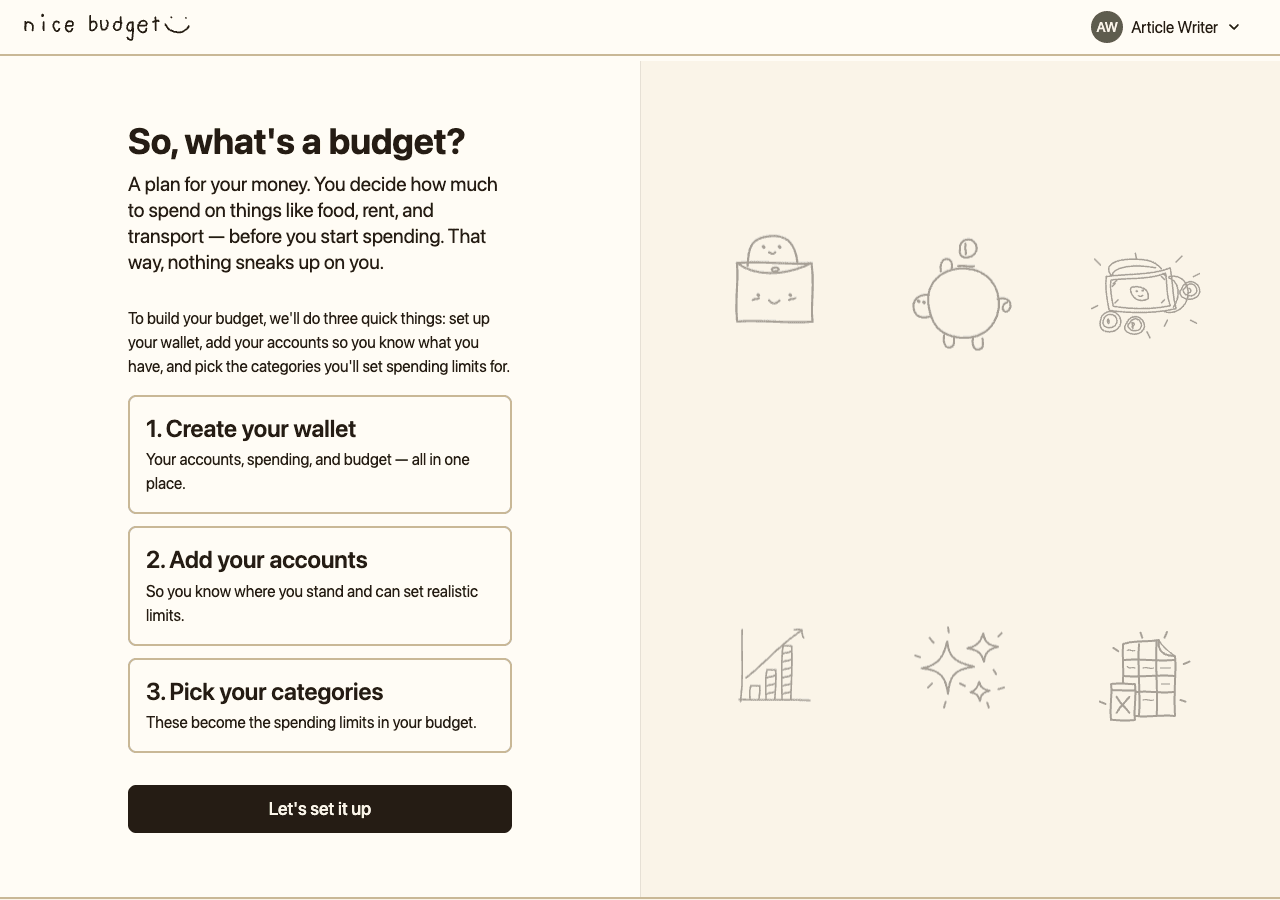
The getting-started page names the three pieces in the exact order you'll build them.
Nice Budget names the three pieces up front for a reason: that same order — wallet, accounts, categories — shows up everywhere else in the app. Once you see what each one actually does, the rest of Nice Budget clicks into place, and you'll be ready for whatever you read next in the Nice Budget learning hub.
Wallet: the container for your whole budgeting setup
In real life, a wallet is the thing you carry. It holds your cards, some cash, maybe a few receipts. It doesn't earn interest and it isn't a bank — it's the one object that holds everything else together.
In Nice Budget, a wallet plays the same organizing role, but at a bigger scale. A wallet is the top-level container for your budgeting world. Inside a single wallet live your accounts, your categories, your budget periods, and all your transactions. Nothing in Nice Budget exists outside a wallet.
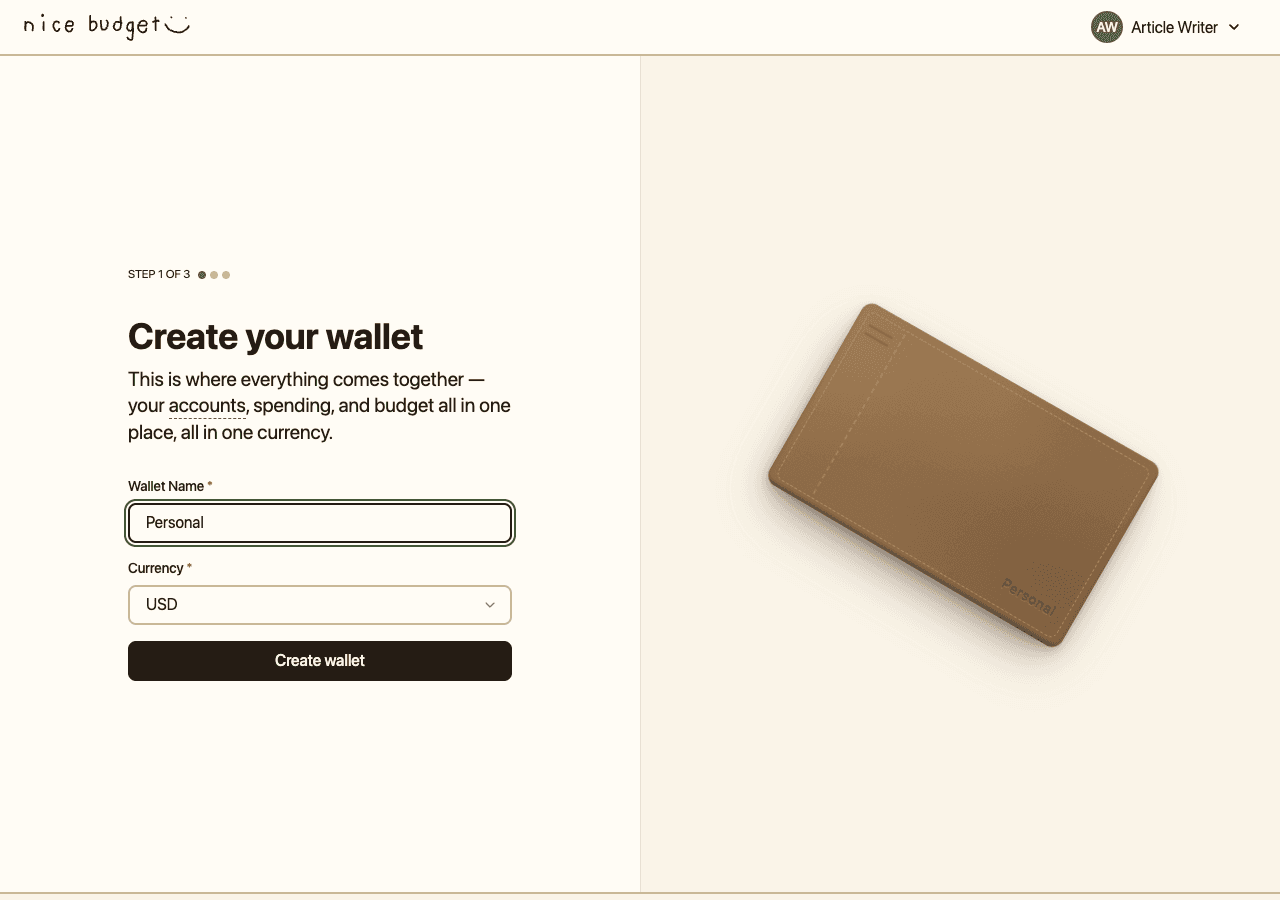
Step 1 collects only a name and a currency — the wallet itself is just an organizer, not a place money lives.
Notice how small that form is. No balance, no accounts, nothing else — the wallet doesn't hold money, it just organizes the things that do. A wallet has three things worth knowing about:
- A name. Whatever you want — "Personal," "Family," "Household." It's for you.
- A currency. One, fixed at the wallet level. Every account and transaction inside inherits it. Nice Budget currently supports 20 currencies, including USD, EUR, PHP, JPY, and INR.
- A user. Each user gets exactly one wallet. If you try to visit the "create wallet" page after you already have one, Nice Budget quietly sends you forward to the next step.
Because the wallet sits at the top, deleting it removes everything beneath it — accounts, categories, budgets, and transactions all go with it. The wallet isn't just a label; it's the unit of ownership. And your wallet total is simply the sum of what's in each account — the frame doesn't hold money; the accounts do.
Account: where the money is
In real life, an account is a specific place money lives. Your checking account at the bank. The cash in your pocket. Your credit card. Your GCash or PayPal balance. Each of these has its own balance you can check, and money moves in and out.
In Nice Budget, an account works the same way. It's a named place for a real-world balance. Every account belongs to exactly one wallet and has:
- A name — "Main Checking," "Emergency Savings," "Travel Credit Card," whatever matches what you call it.
- An account type — one of seven: checking, savings, credit card, debit card, cash, e-wallet, or gift card.
- An initial balance — what's in the account at the moment you add it to Nice Budget.
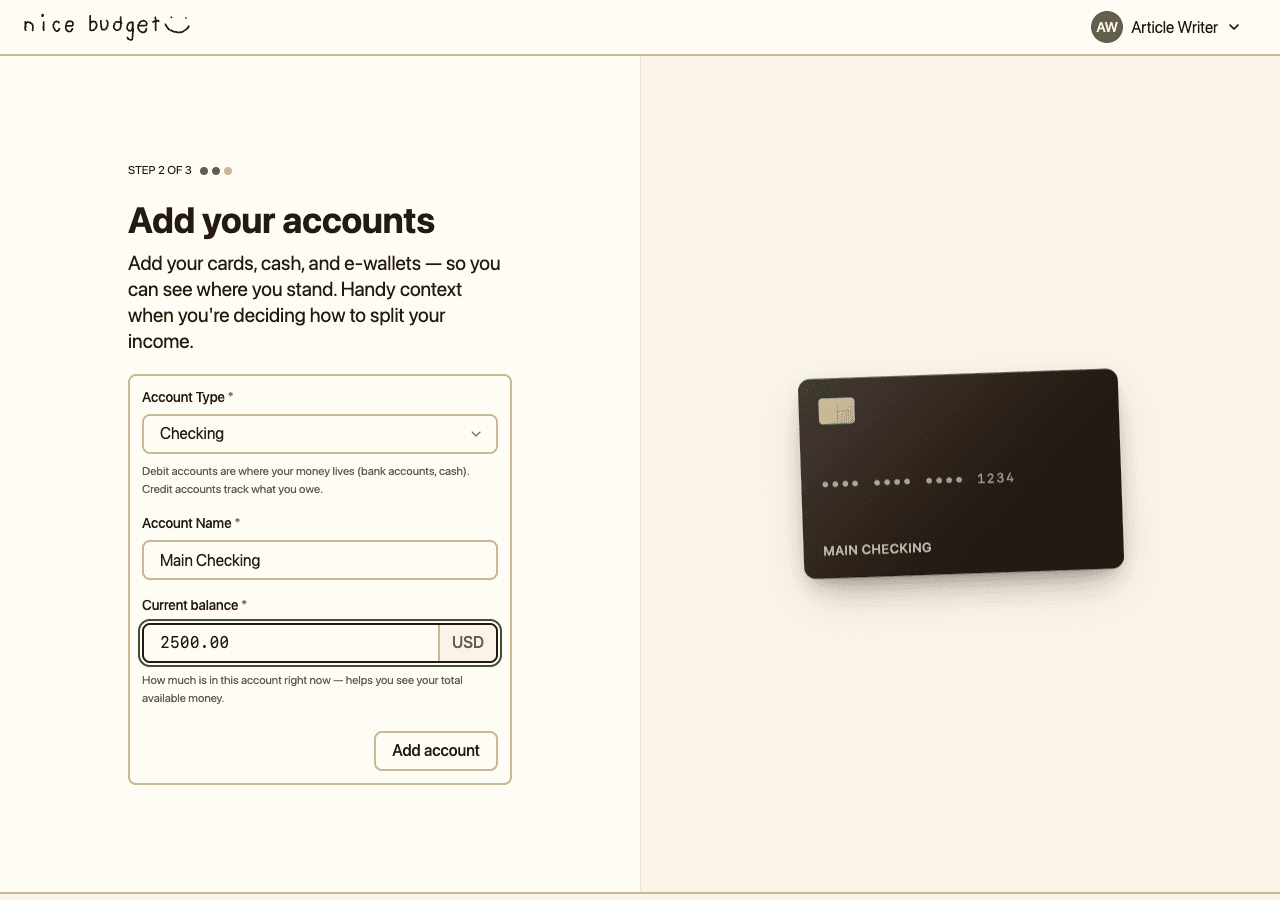
The account form inherits the wallet's currency, so you only enter a name, a type, and a starting balance.
During onboarding, you can add between 1 and 5 accounts. That cap is intentional — it keeps setup fast and nudges you to focus on the accounts you actually use day to day.
Credit cards work a little differently
One detail worth knowing: credit card balances count as debt, not as money you have. When you add a $2,500 balance on a credit card, Nice Budget treats it as money owed, so it pulls your total down, not up. You're never fooled into thinking you're richer than you are because of a card balance.
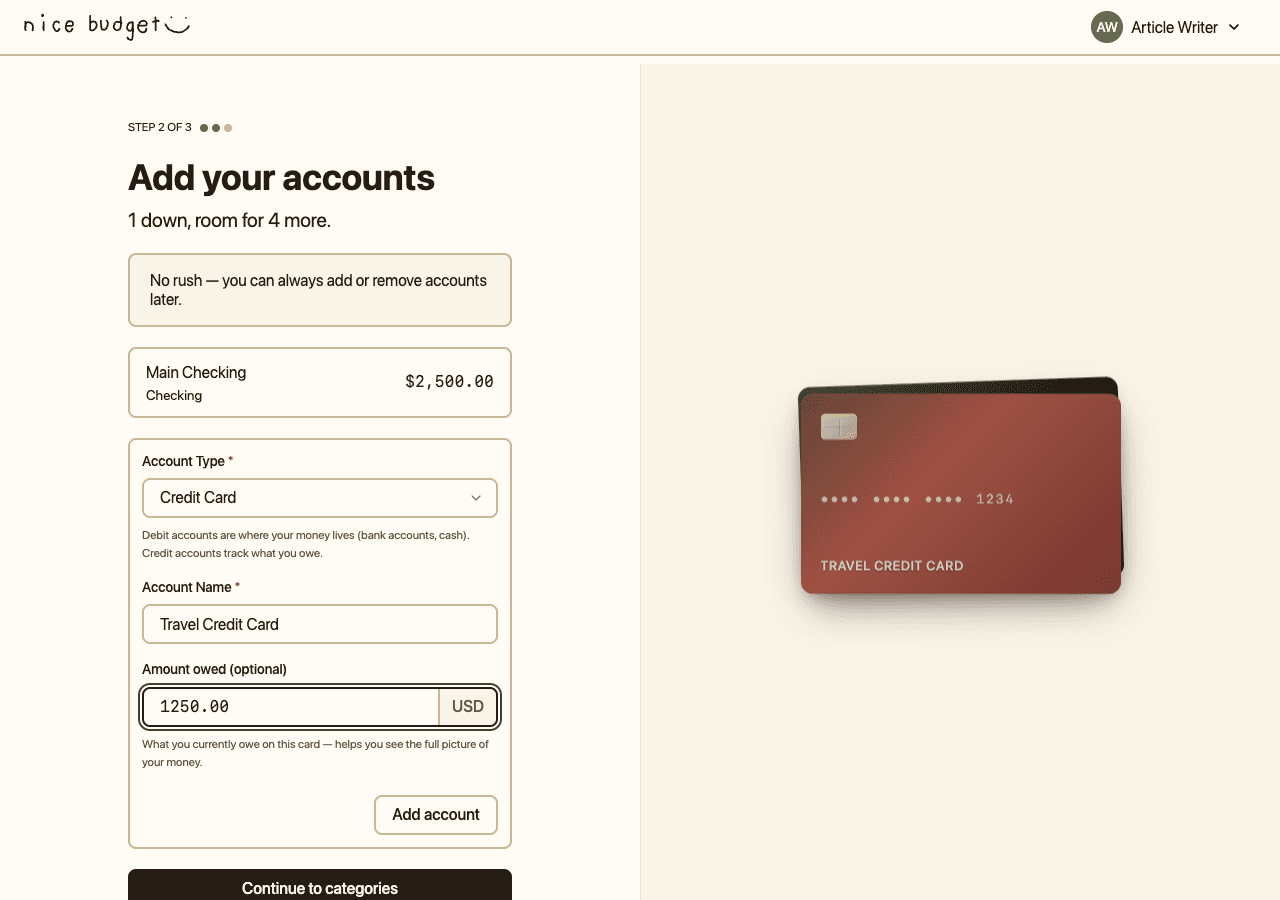
Picking Credit Card relabels the balance field to "Amount owed" — a positive number matches what you'd say out loud.
From your side, nothing feels weird. You type what you owe as a positive number, and Nice Budget handles the rest so the debt pulls your total in the right direction.
Balances update as you log transactions
Your current balance isn't a number Nice Budget stores separately — it's your starting balance plus every transaction you've logged on that account. That's why every transaction has to be tied to an account: transactions are how balances move.
Category: what the money is for
In real life, categories are how you describe your spending. "That was groceries." "That was rent." "That was from my paycheck." You probably do this naturally when you look back at the month. A category is a label for purpose, not a place.
In Nice Budget, a category works exactly that way. Every category belongs to one wallet and has:
- A name — unique within the wallet. You can't have two categories both called "Groceries & Food" in the same wallet.
- A category type — expense, income, or transfer.
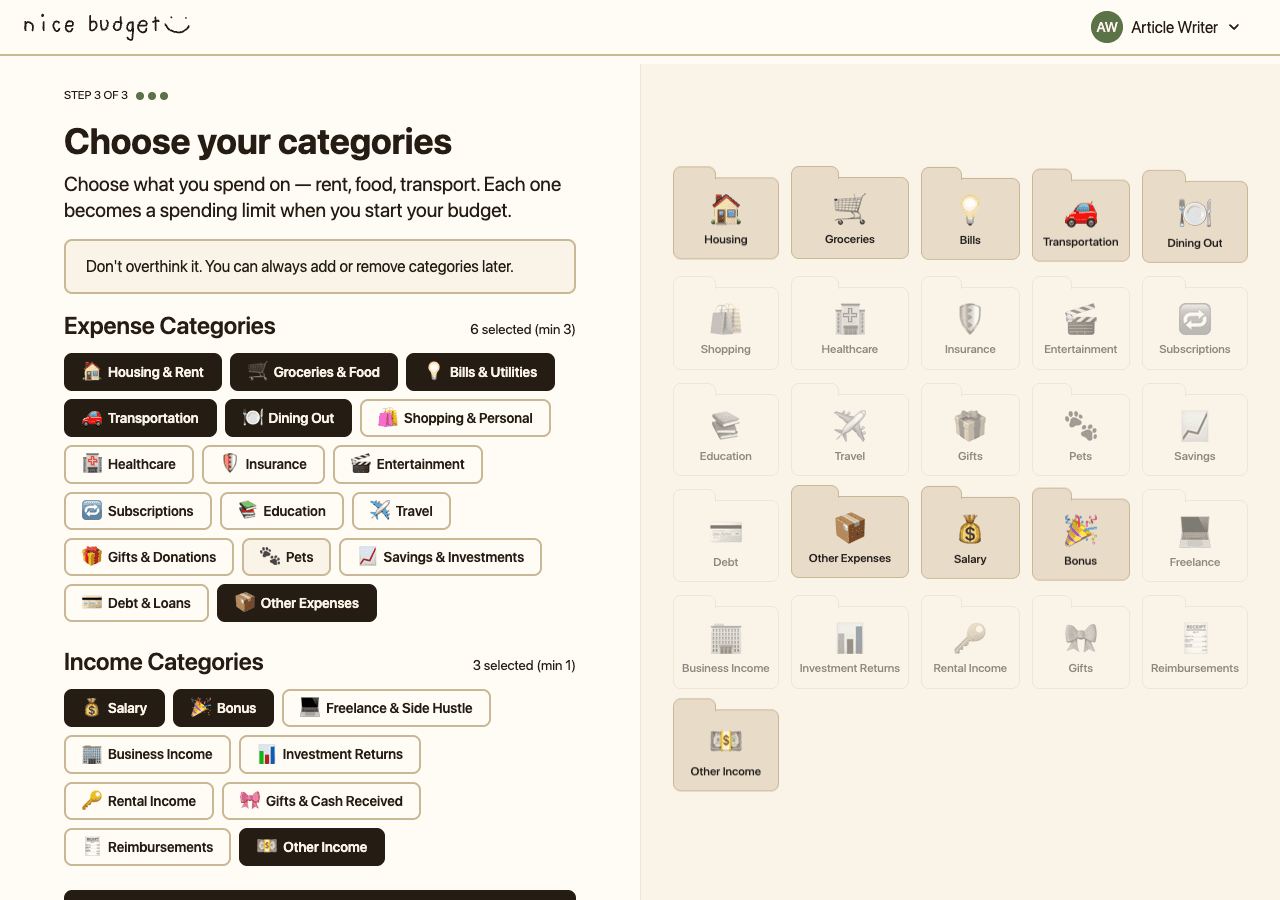
Step 3 is a grid of toggles — pick at least 3 expense and 1 income to continue.
Nice Budget ships with 27 default categories: 17 expense (Housing & Rent, Groceries & Food, Bills & Utilities, Dining Out, and so on), 9 income (Salary, Bonus, Freelance & Side Hustle, and more), and 1 Transfer category the app uses on its own when you move money between accounts. The 3-expense, 1-income minimum exists because a one-category budget doesn't tell you much — you need a bit of variety for the numbers to be useful.
Categories protect your history
There's a small but important rule about deleting categories: you can't delete one that still has transactions attached. Nice Budget refuses, on purpose, so your history stays intact. If you want a category out of the way, Nice Budget archives it instead — it disappears from new forms, but your old transactions stay correctly labeled. Because "you spent $40" isn't useful; "you spent $40 on Dining Out" is.
How the three fit together
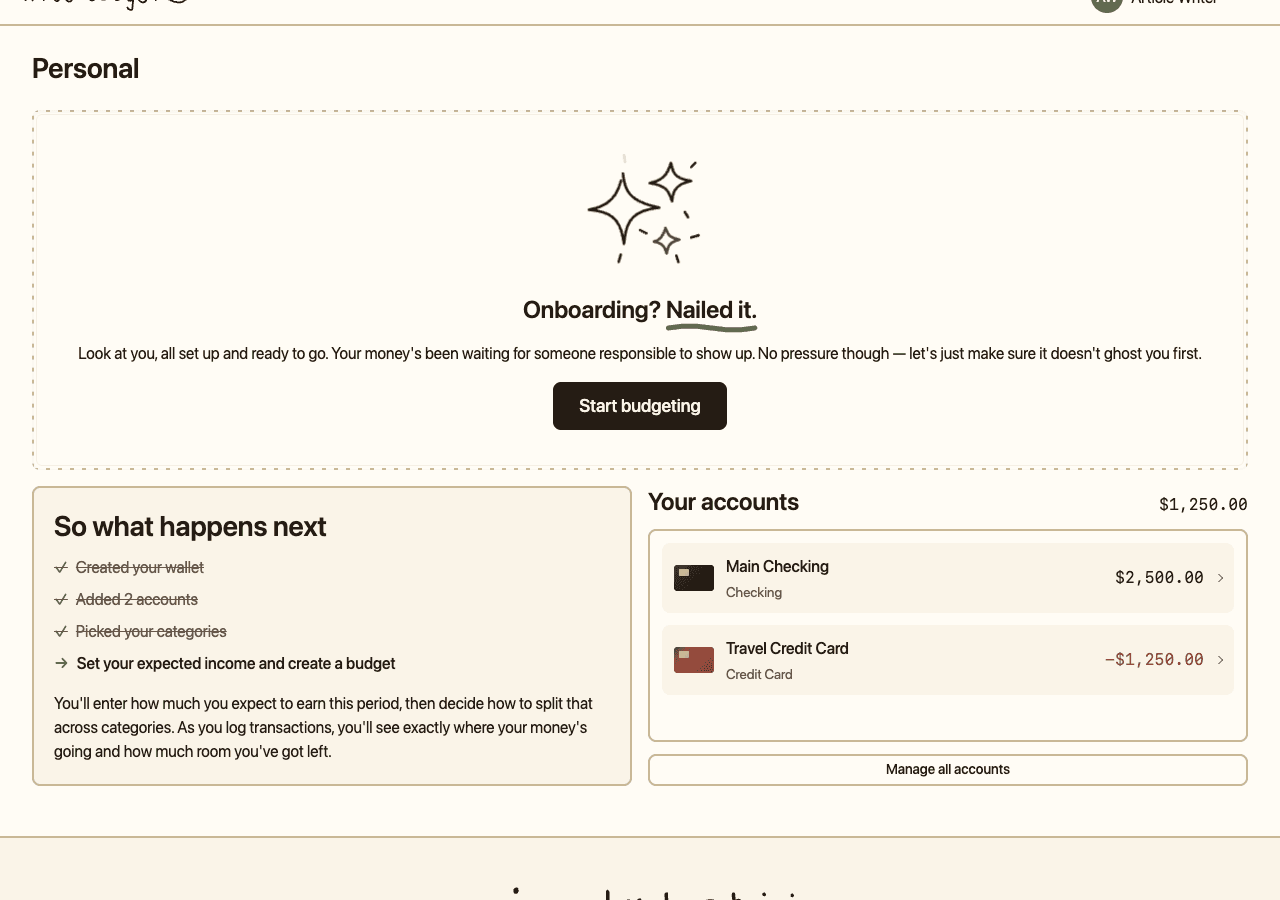
The home page makes the hierarchy visible: one wallet at the top, two accounts summing to $1,250 (the credit card debt subtracts from the checking balance), and categories waiting for their first transaction.
Once onboarding finishes, you land on the wallet home page — the clearest picture of how the pieces connect. The wallet is named at the top ("Personal"). Accounts sit below with their balances: Main Checking at $2,500 and Travel Credit Card at -$1,250, summing to $1,250. Categories aren't shown yet because you haven't logged a transaction; they're standing by, waiting for the next step.
One thing worth underlining before we move on: budgets attach to categories, not accounts. When you set a budget, you're not saying "I'll spend $2,000 from my checking account this month." You're saying "$500 on Groceries & Food, $400 on Bills & Utilities, $150 on Dining Out." Budgets care about purpose, so they live on categories. Which account the money came from is a separate concern.
Why transactions need both an account and a category
This is the part that clicks the whole model together. Every transaction in Nice Budget is tied to two things: one account, one category. Neither is optional. That dual link does two jobs at once:
- The account link updates your balance. When you log a $50 grocery run from your checking account, checking's balance drops by $50.
- The category link updates your budget. The same $50 also counts toward your Groceries & Food budget for the period.
One transaction, two effects. This is why "how much did I spend on groceries?" and "how much is in my checking account?" can be answered from the same data — they're two views of the same transactions, grouped differently.
Transfers are a special case. Moving $100 from checking to savings creates a pair of transactions — one on checking (money out), one on savings (money in) — both labeled with the built-in Transfer category so the money shows up in the right place without inflating your income or expense totals.
The order of setup, and why it matters
Onboarding goes Wallet → Accounts → Categories because each step unlocks the next:
- Accounts and categories both live inside a wallet, so the wallet has to exist first.
- Every transaction points to one account and one category, so both have to exist before you can log anything.
- Budgets attach to categories, so categories have to exist before you can set a budget.
Nothing about the order is arbitrary. Each piece has a clear job — the wallet contains, the account holds the balance, the category describes the purpose, and the transaction ties a balance change to a purpose at a moment in time.
That's the whole model. Three pieces, each with one responsibility, connected in one direction: a wallet contains accounts and categories, transactions join the two, and budgets live on categories. Once that shape is clear, the rest of Nice Budget is just filling it in. If you haven't walked through setup yet, now's a good time — you'll recognize every screen.